Purpose:
To guide operators on how to handle cases where players report that a game is not loading or fails to open.
Common Reasons a Game May Not Load
Jurisdiction Restriction:
The game might not be available in the player’s jurisdiction.
Verify that the game is enabled for that specific jurisdiction/market/country.
Jurisdiction Mismatch:
The player’s IP-based location and account jurisdiction might not match.
Example: Player registered under UK jurisdiction but currently playing from Germany.
Check the player’s geo-location details.
Partner Mismatch:
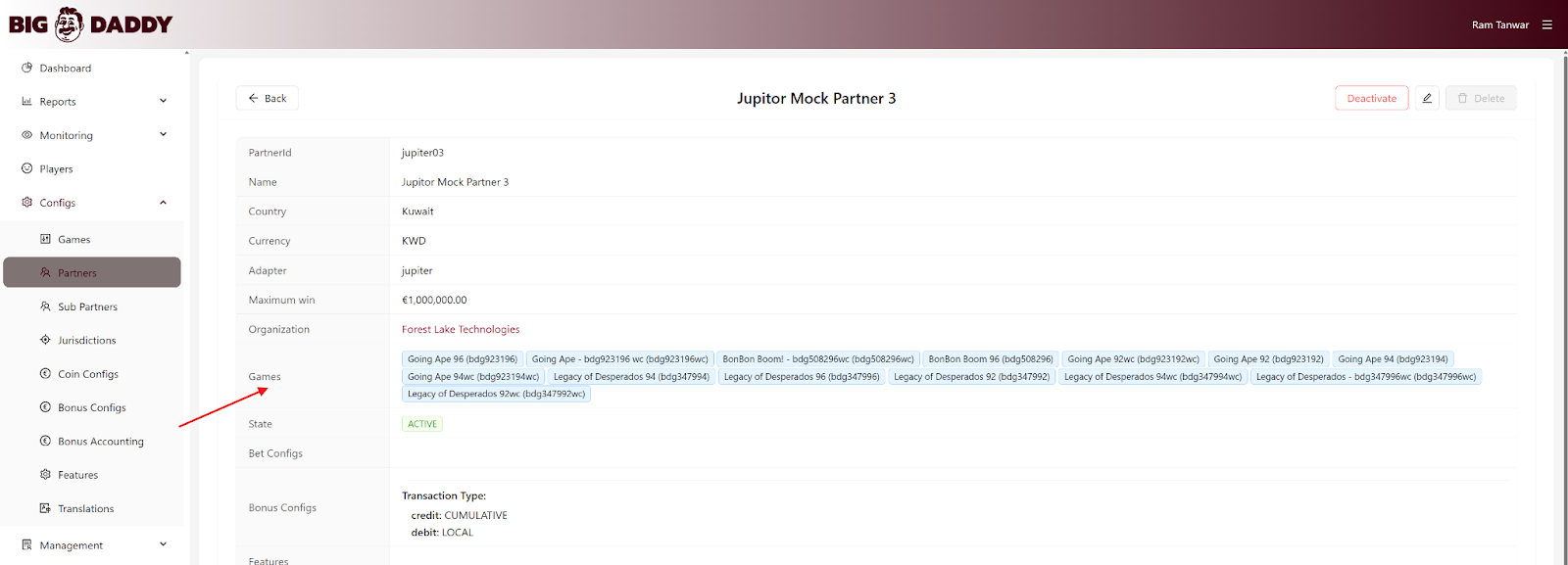
The game configuration may not exist for that particular partner or brand.
Verify in the Big Daddy Back Office → Configs → Partners → Games List that the game is mapped to the correct partner.
Game Disabled or Expired Configuration:
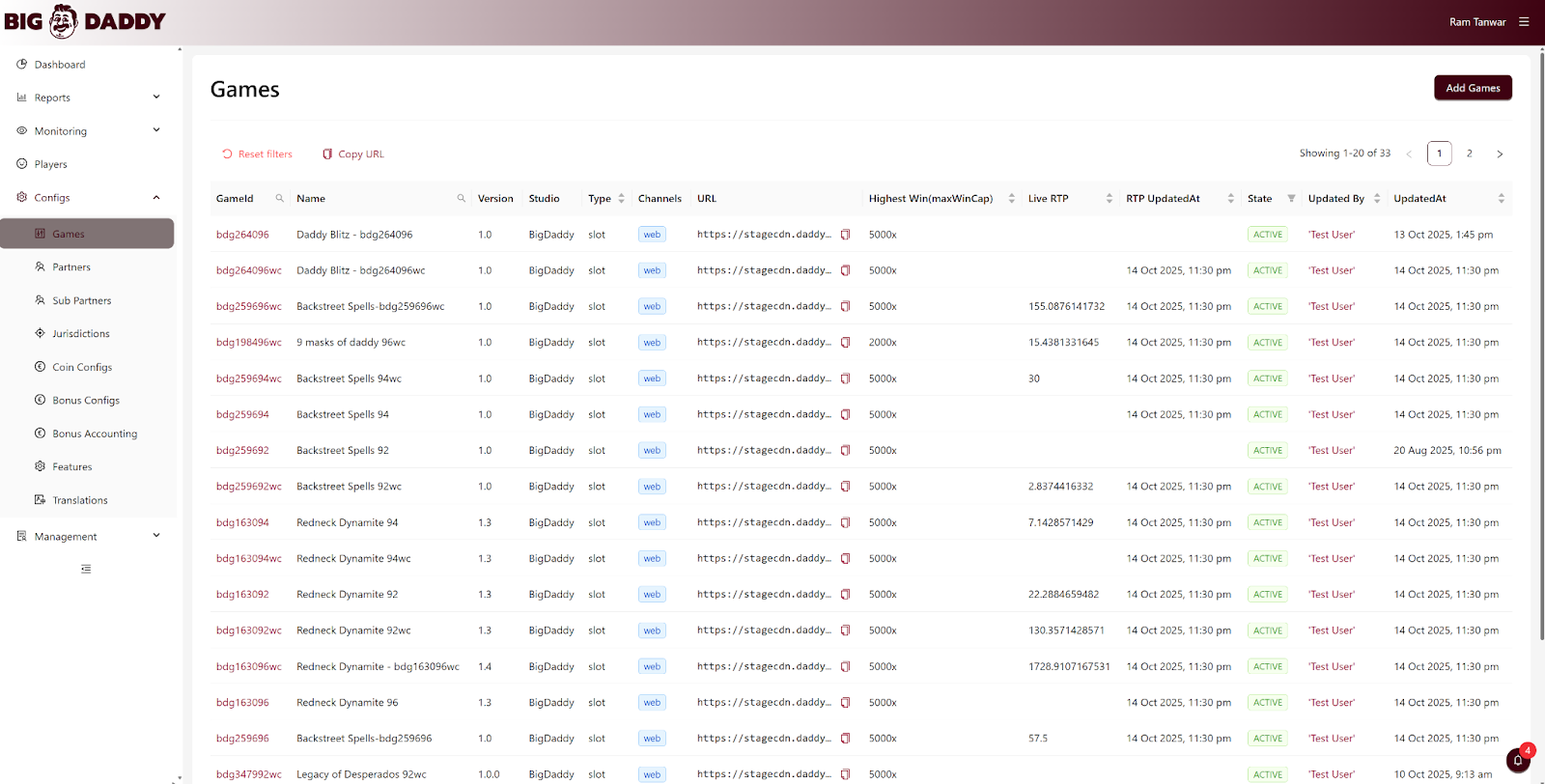
The game may have been disabled temporarily or its configuration expired after an update or release.
Cross-check with the latest games section here
Network or API Timeout:
In rare cases, loading may fail due to API timeout or temporary CDN delay.
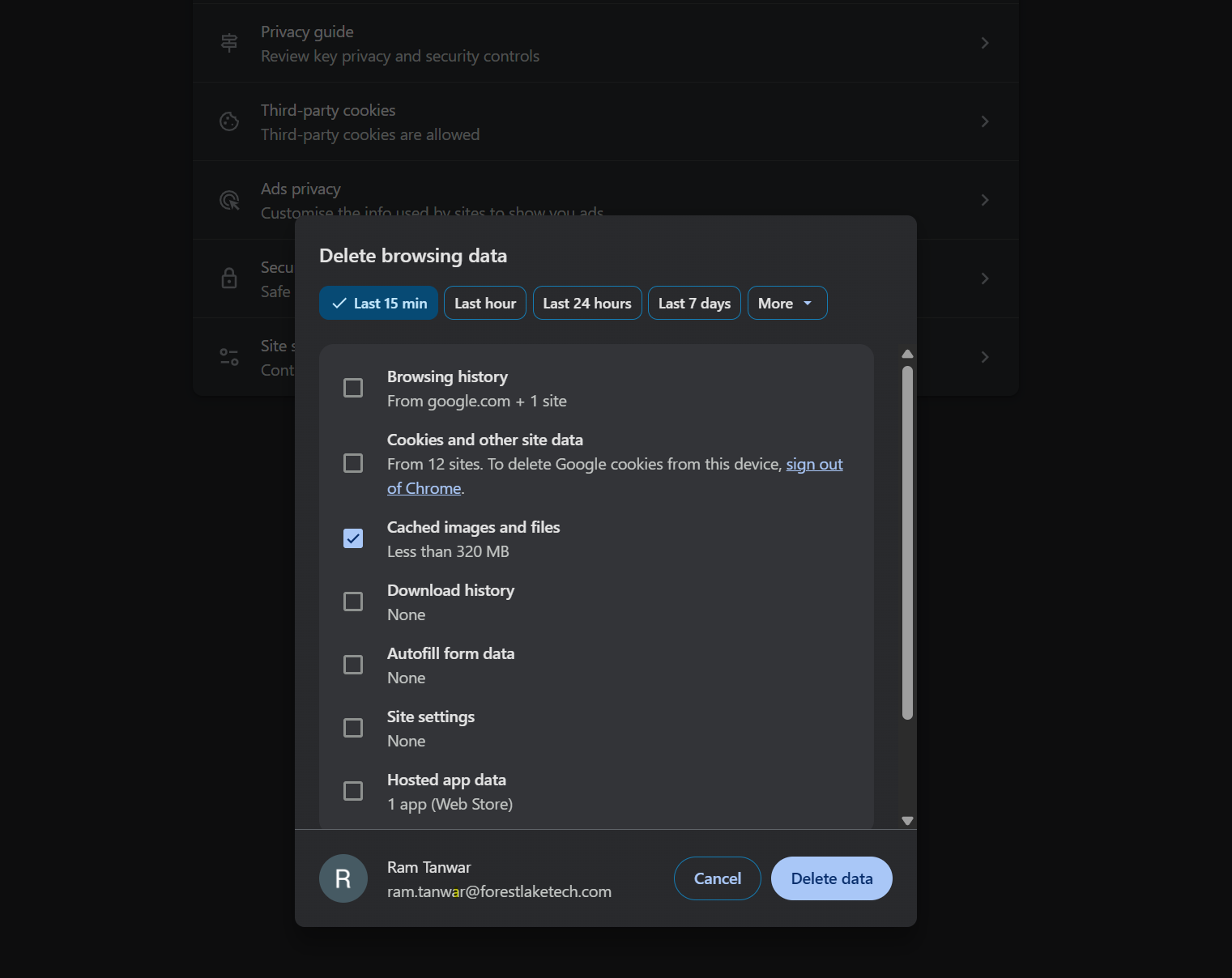
Advise players to clear cache and retry after a few minutes.
To open the ‘Clear Browsing Data’ page in your browser, press Ctrl + Shift + Delete.
Information to Collect from the Player
When the issue is reported, always request the following details to investigate efficiently:
Player ID: (mandatory)
Game ID or Game Name:
Timestamp of Issue:
Error Code or Message: (if visible on screen)
Browser/Device Details: (optional but helpful)
Next Steps for Operators
Check the Big Daddy Back Office → Partner → Games Configuration to confirm availability.
If the game is listed but not loading:
Validate jurisdiction mapping.
Re-sync partner-game configurations if needed.
If the issue persists:
Collect player details mentioned above.
Escalate the case to Big Daddy Technical Support with full context.
Was this article helpful?
That’s Great!
Thank you for your feedback
Sorry! We couldn't be helpful
Thank you for your feedback
Feedback sent
We appreciate your effort and will try to fix the article