Purpose:
To guide operators in identifying and resolving issues related to currency display, language mismatches, or incorrect translations in the Big Daddy slot games.
Common Causes
Locale Mismatch:
The selected language (e.g., Chinese) and the game’s configured currency (e.g., EUR) may not be mapped correctly in the operator’s integration settings.
Incorrect Game Parameter Configuration:
The partner configuration or jurisdiction setup may have incorrect locale or currency mapping.
Operator Steps – How to Handle
Initial Checks:
Ensure that the player is accessing the correct localized version of the game.
Verify the currency and language selection at the operator’s front end and within the player’s account settings.
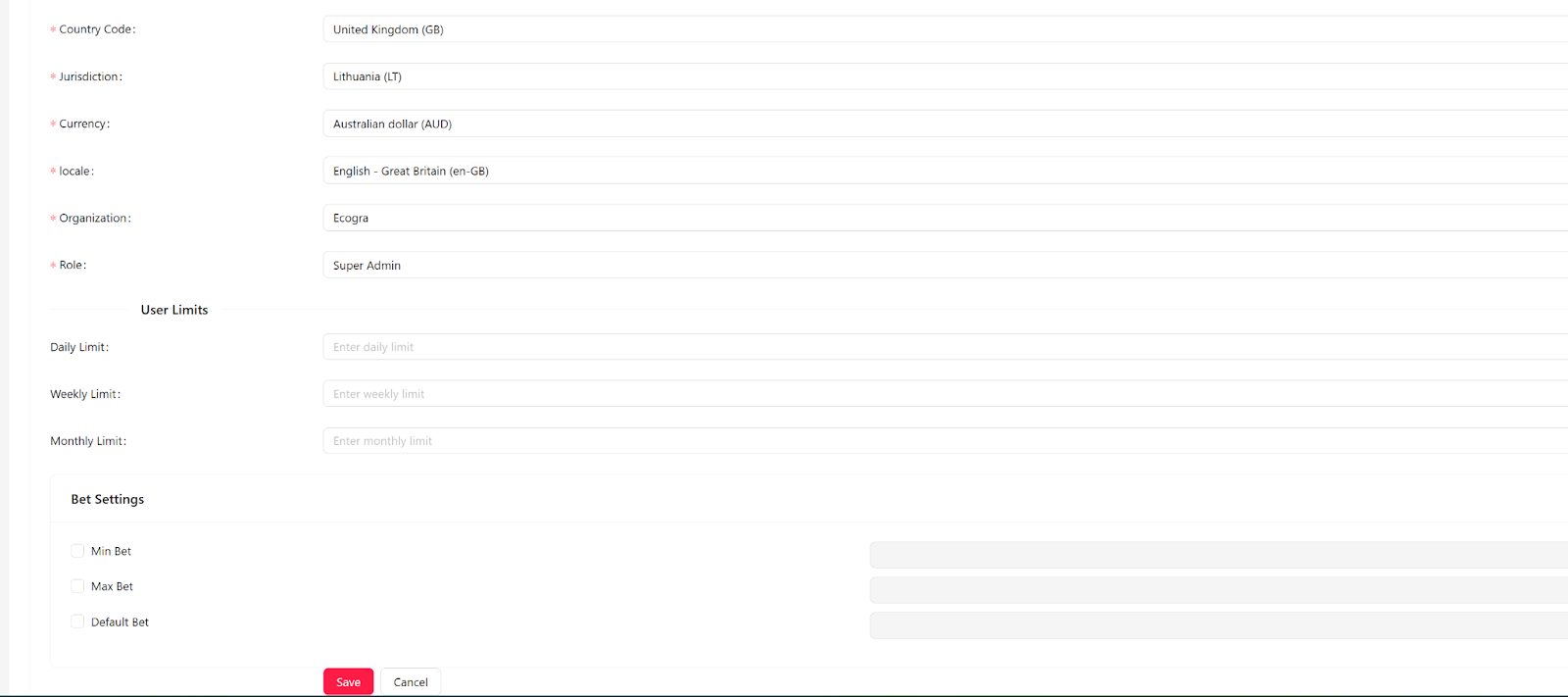
Collect Key Details from the Player:
Ask the player to provide:Screenshot of the Issue (mandatory)
Player ID
Game Name / Game ID
Currency Used (e.g., EUR, USD, etc.)
Language Selected (e.g., Chinese, English, etc.)
Timestamp and Description of the Problem
Reporting to Big Daddy Support:
If the issue persists, collect player details and report the case to Big Daddy Technical Support (support@bigdaddy-gaming.com).
Mention whether the issue is related to currency conversion, translation error, or locale mismatch.
Was this article helpful?
That’s Great!
Thank you for your feedback
Sorry! We couldn't be helpful
Thank you for your feedback
Feedback sent
We appreciate your effort and will try to fix the article